Pickleball Instant Replay for Every Court
After a great point, a player taps one button by the court, saving the point from every camera angle. About 10 seconds later the clip is on every player's phone, already tagged with who was playing.
Get Replays at Your ClubAlready on CourtCut? Open Your Club's Replay TabWorks with the IP cameras and recorder your club already runs.
How Instant Replay Works
No one has to press record before the point. The cameras record every court all the time, and a tap saves what just happened.
Tap Clip Replay
One tap on the court's kiosk saves the last 30 seconds from every camera on the court. Clubs set the clip length, and viewers can extend any clip.
Watch
Seconds later the clip is in the club's replays. Players who checked in get a notification, already tagged.
OptionalCheck in to be tagged. Players tap their paddle sticker on the court's reader, or check in from their phone, and every clip they're in is tagged and sent to them. Anyone else adds themselves with Tag Me.
A Kiosk Built for the Court
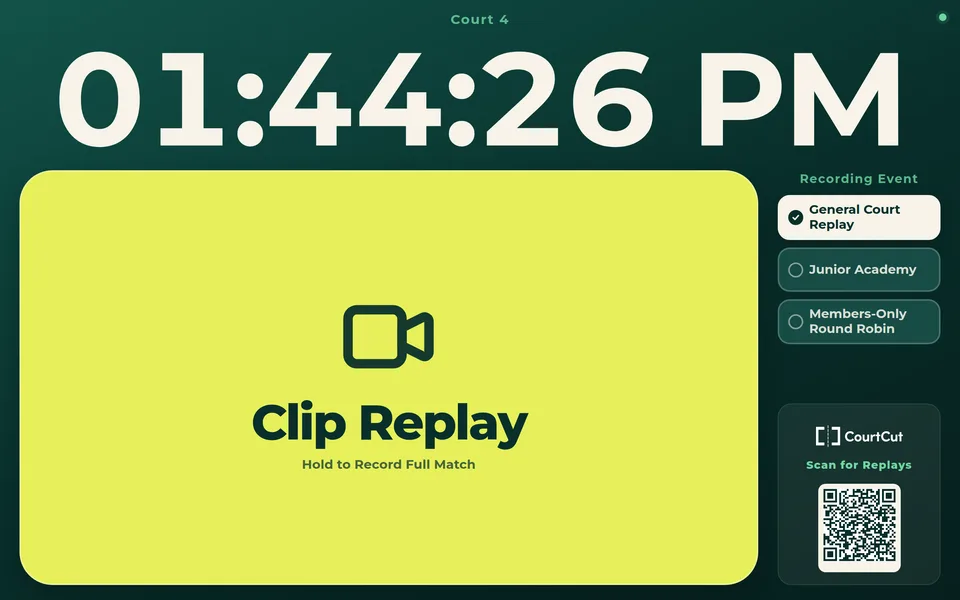
Any tablet by the court runs the kiosk in its browser: one big button, readable from the baseline.
- ✓Hold to record a whole match. Hold the button for two seconds to start recording, and tap Stop when the match ends.
- ✓One kiosk link for the club. Give each court its own tablet, or pick the court on a shared one.
- ✓Keeps working when the Wi-Fi drops. Taps wait on the tablet and send when it reconnects.
- ✓Members only, if you like. An optional PIN locks the kiosk, and a QR code on screen takes new players to sign up and find their replays.
- ✓Knows what's on. During a club event, clips carry the event's name. With CourtReserve connected, the kiosk also shows who has the court booked.
A Replay Library Players Come Back To
- ✓Find Replays. Every clip from your clubs' courts over the last 48 hours, filtered by court or event.
- ✓My Replays. Every clip a player is tagged in, searchable by date, club, event and the people in it.
- ✓Missed the check-in? Tag Me adds a player in one tap, and anyone can tag their partners.
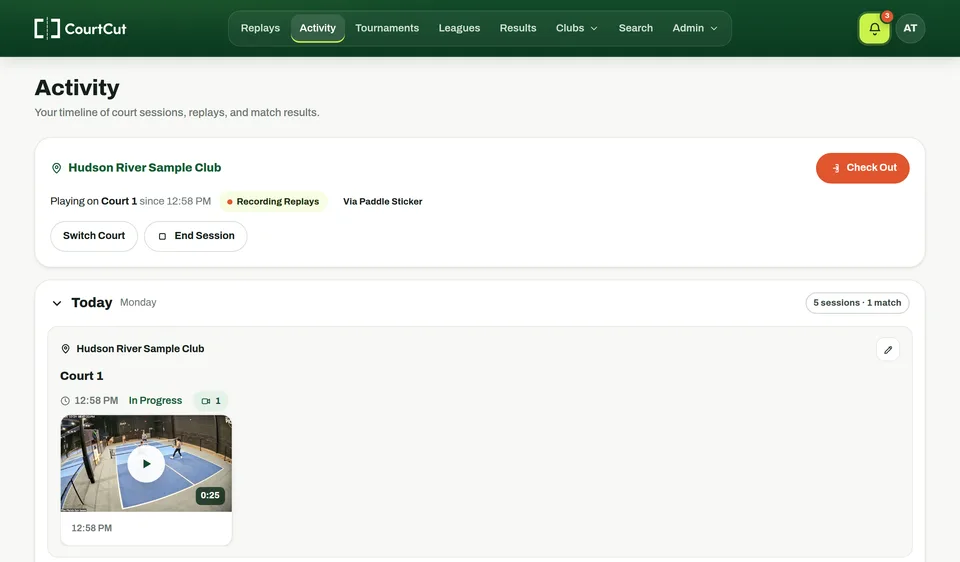
- ✓Activity. Each court session laid out with the clips from it.
Watch, React and Share
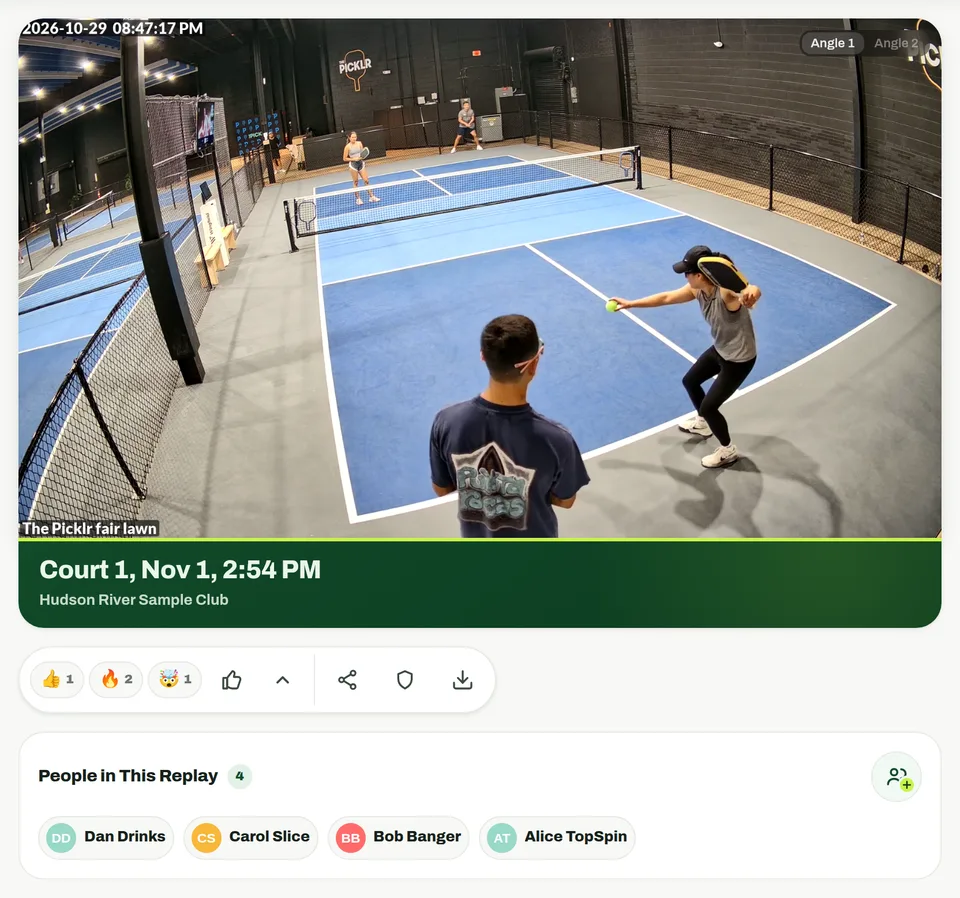
- ✓Every angle. Switch between the court's cameras, and step to the clip before or after.
- ✓Reactions and comments. Nice Shot, On Fire, Kitchen Chaos, Unreal Rally or Great Defense, plus comments with @mentions and photos.
- ✓Extend a clip. Rally started early or ran long? Add 30 seconds before or after, from the same recording, within 48 hours. The link, tags and comments stay.
- ✓Share and download. Send a link (friends sign in to watch) or save the clip. Clips up to two minutes download free unless the organizer charges for them.
Full Matches for Tournaments and Leagues
Turn on Record Replays for a tournament or league, and every match played on a camera court is saved start to finish, with its players tagged.
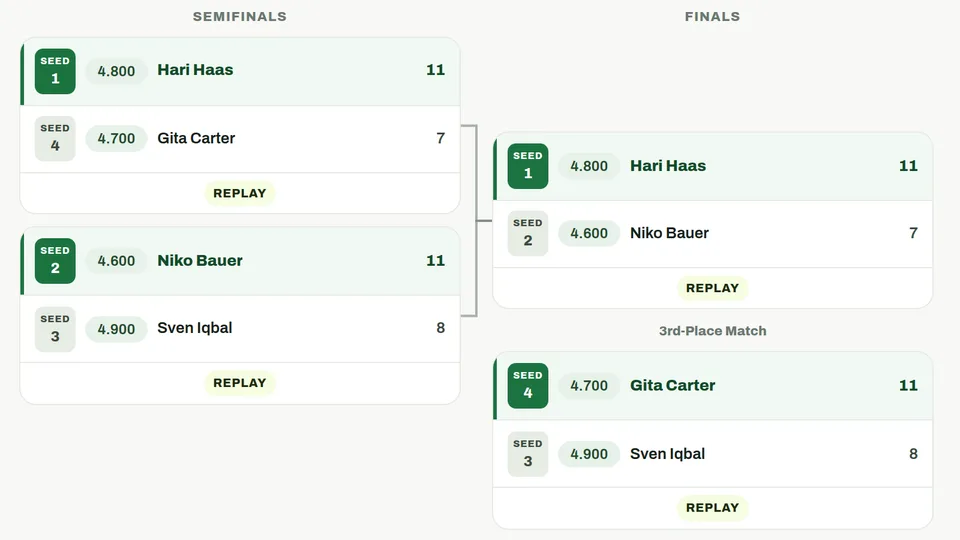
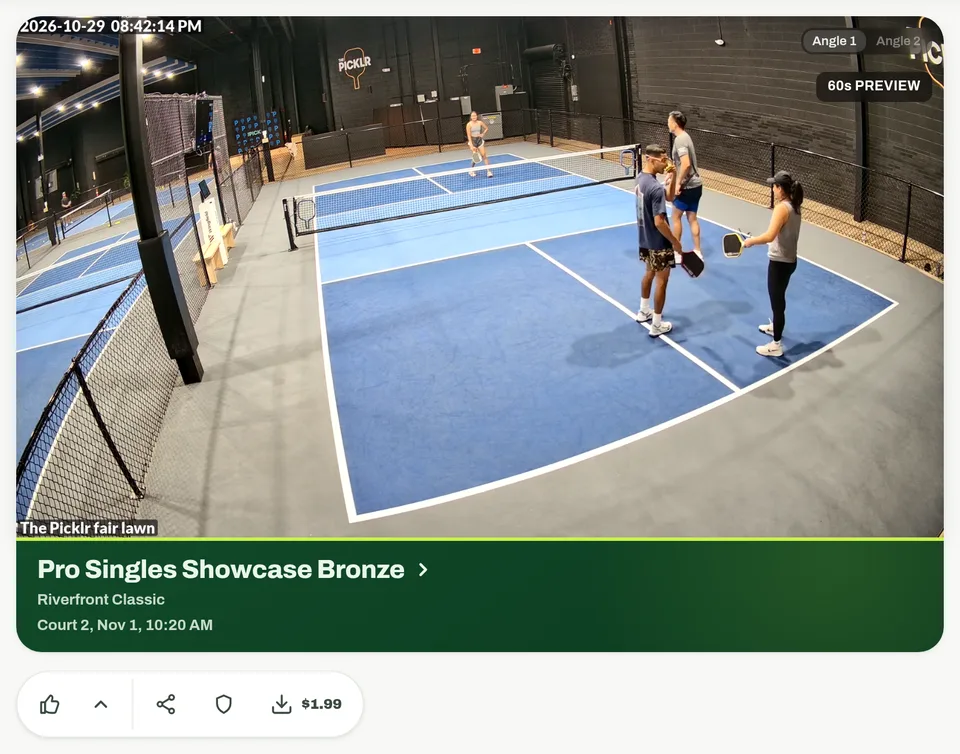
- ✓Linked from the bracket. Results and brackets open each match's full replay.
- ✓Replays that pay their way. Organizers can charge per replay, $1.99 by default and set per tournament, league or event. Buyers watch a 60-second preview first.
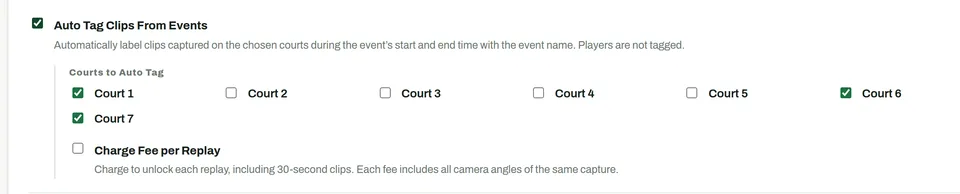
- ✓Club events too. Clips on chosen courts during an event's hours carry its name, and can be charged per clip. One fee covers every camera angle.
Run It From Your Club Page
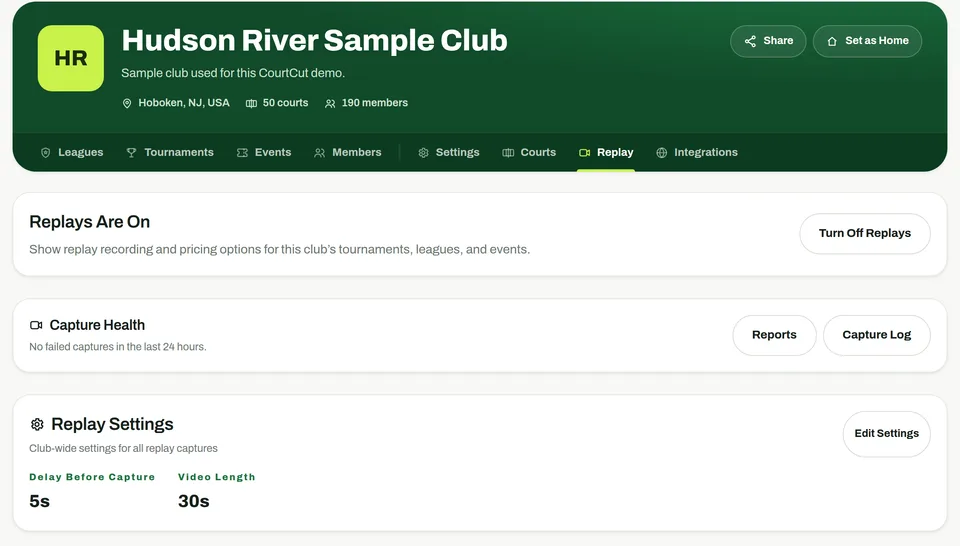
- ✓One switch. Turn replays on or off for the club.
- ✓Your clip length. Choose 1 to 60 seconds, and the short wait that lets the recorder finish saving.
- ✓Capture health. Failed captures retry on their own, and the Capture Log shows every attempt.
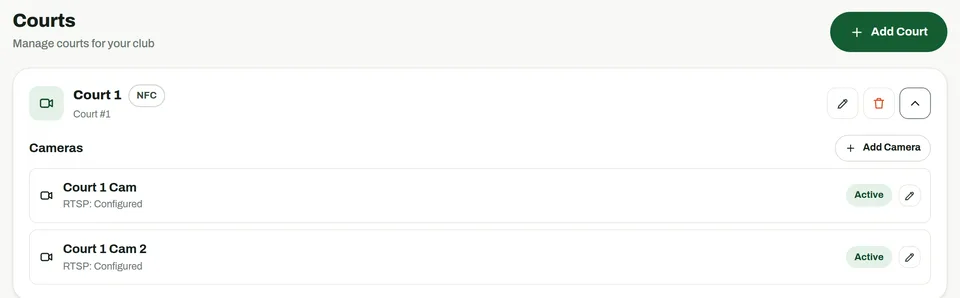
- ✓Cameras per court. A tap captures every camera on that court.
- ✓Footage after the fact. Staff can pull any stretch of up to two hours from a court, with no one at the kiosk.
What Your Club Needs
CourtCut works with the cameras and recorder a club already runs. A CourtCut Replay Box on site pulls each clip from the recording and sends it to CourtCut.
Cameras and a Recorder
IP cameras recording to an NVR that plays back by time over RTSP, such as Hikvision and Uniview, or UniFi Protect.
The CourtCut Replay Box
A small computer on the club's network. It only makes outbound HTTPS connections: no VPN, no open ports, and camera passwords never leave the building.
A Tablet for the Kiosk
One by each court, or one shared tablet where staff pick the court.
Optional: an NFC Reader
Plugged into the kiosk tablet, it lets players check in by tapping the sticker on their paddle.
Questions Clubs Ask
Do Players Have to Start Recording Before the Point?
No. The club's cameras record all the time, so a tap at the kiosk saves the 30 seconds that just happened. Each club chooses its clip length, from 1 to 60 seconds.
How Do Players Find Their Clips?
Players who check in to a court, by tapping their paddle sticker at the kiosk or from their phone, are tagged in every clip from that court and get a notification when it's ready. Anyone can tag themselves or their partners from the replay library.
Do Players Need an App?
No download is needed. Players watch, react and share in their phone's browser after signing in to CourtCut.
Which Cameras Does CourtCut Work With?
IP cameras recording to an NVR that plays back by time over RTSP, such as Hikvision and Uniview recorders, and UniFi Protect. The CourtCut Replay Box, a small computer at the club, only makes outbound connections.
Can We Record Whole Matches?
Yes. Holding the kiosk button for two seconds records the whole match, and tournaments and leagues can save every match played on a camera court with its players tagged. Staff can also pull any stretch of up to two hours from a court afterward.
Can Our Club Charge for Replays?
Organizers can set a price per replay for a tournament, league or event, $1.99 by default. Buyers of a full match watch a 60-second preview first, and club staff always watch free.
What Happens If the Internet Drops?
The kiosk keeps each tap on the tablet and sends it when the connection returns, and the clip still covers the moment of the tap.
Bring Instant Replay to Your Courts
Get Replays at Your ClubEmail support@courtcut.com to set up replays at your club.